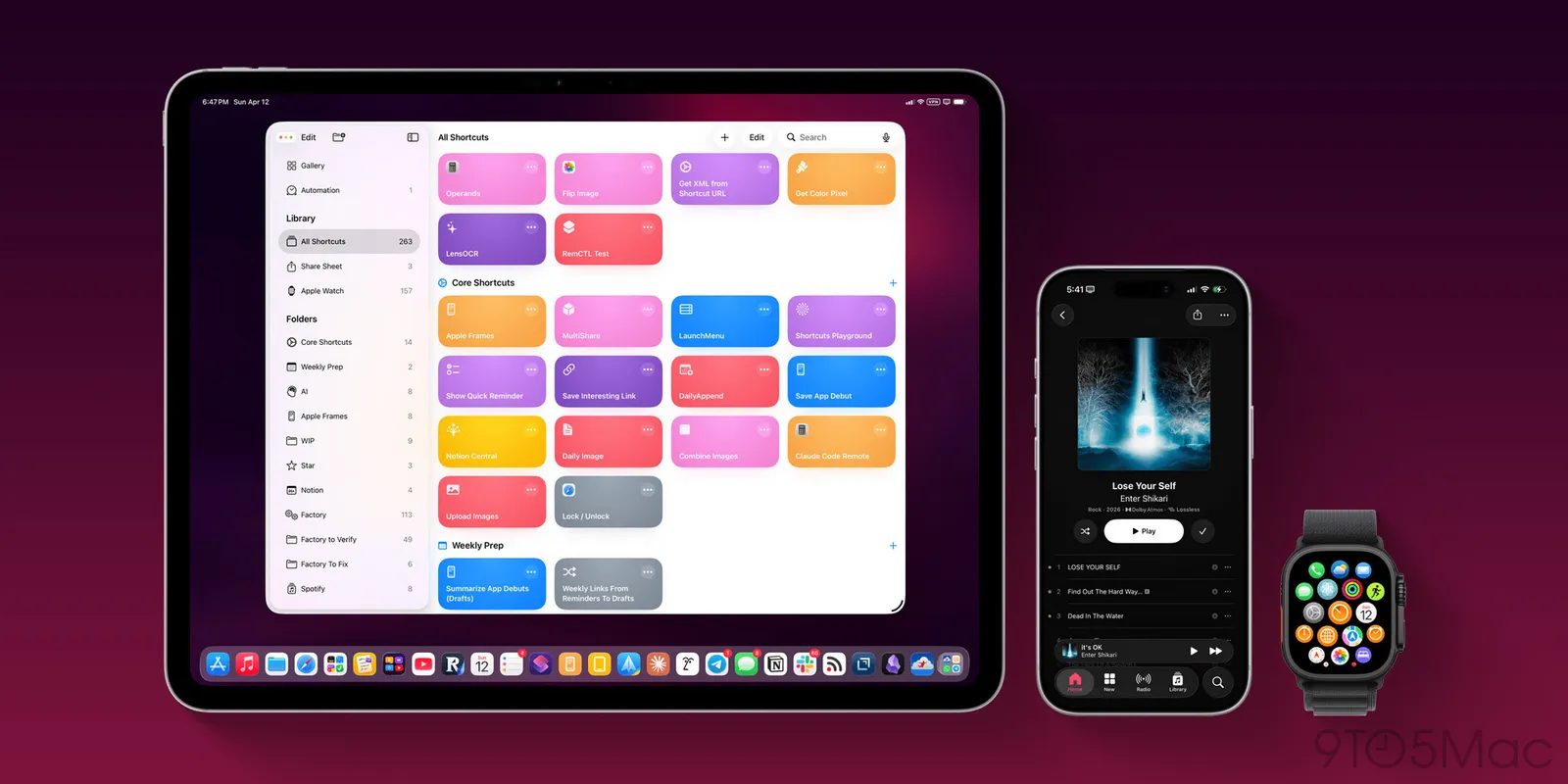
Federico Viticci updated his Apple Frames shortcut to version 4, slashing steps from over 800 to 300 while adding frame colors, device variants, proportional scaling, and a new Mac Terminal CLI. The overhaul boosts speed, reliability, and utility for developers handling screenshots in workflows including AI agents.
Tap a lens to see what this story means for you.
Liked this? The Brief brings you the whole day in tech, verified, every morning.
Two minutes, free forever. What's in The Brief →
See what’s happening right now
The Feed runs all day — short, verified briefs the moment they break.
Open the FeedFollow @thecircuitry_
Every story we publish, as it happens. No noise between.
Reader-supported
The Circuitry is a passion project I've always wanted to build, and I love the work behind it.
Running it costs real money. APIs, hosting, time. To keep improving the site and growing this into something useful for everyone, those costs have to be covered.
Any contribution is appreciated. If not, no pressure. Thanks for reading.
Four Apple-related stories broke on September 23 covering software betas, hardware rumors, automotive partnerships, and visitor-center changes. The updates reflect ongoing product refinements and strategic shifts at the company.
Apple's refreshed Mac mini with M6 and M5 Pro chips and Mac Studio with M5 Max and M5 Ultra chips launch on Tuesday, September 22 after last month's announcement and pre-orders that opened August 25. The models receive only spec bumps with no major design changes.
Retail stores worldwide began selling Apple’s iPhone 18 Pro and Pro Max alongside the Apple Watch Series 12, Ultra 4 and AirPods 5 on September 18, 2026, with CEO John Ternus leading launch events at flagship locations.
Apple has released macOS Golden Gate 27, introducing Siri AI, Visual Intelligence, enhanced photo editing, Safari tools, natural language Shortcuts, design refinements, new child safety features, and performance improvements. The update is available only on Apple silicon Macs via System Settings and marks the first time Visual Intelligence reaches the desktop platform.
Apple has introduced refreshed child safety capabilities in iOS 27, iPadOS 27, and macOS 27 that broaden parental oversight of content, contacts, and usage limits. The tools, shaped by input from experts including the American Academy of Pediatrics, include streamlined account setup, Ask to Browse approvals, wider Communication Safety measures, Time Allowances, and an updated Screen Time view.