Microsoft is rolling out taskbar positioning to any screen edge along with related personalization options to Windows Insiders in the Experimental channel. The changes address long-standing user requests for flexibility in one of the operating system's core interfaces while noting several features still under development.
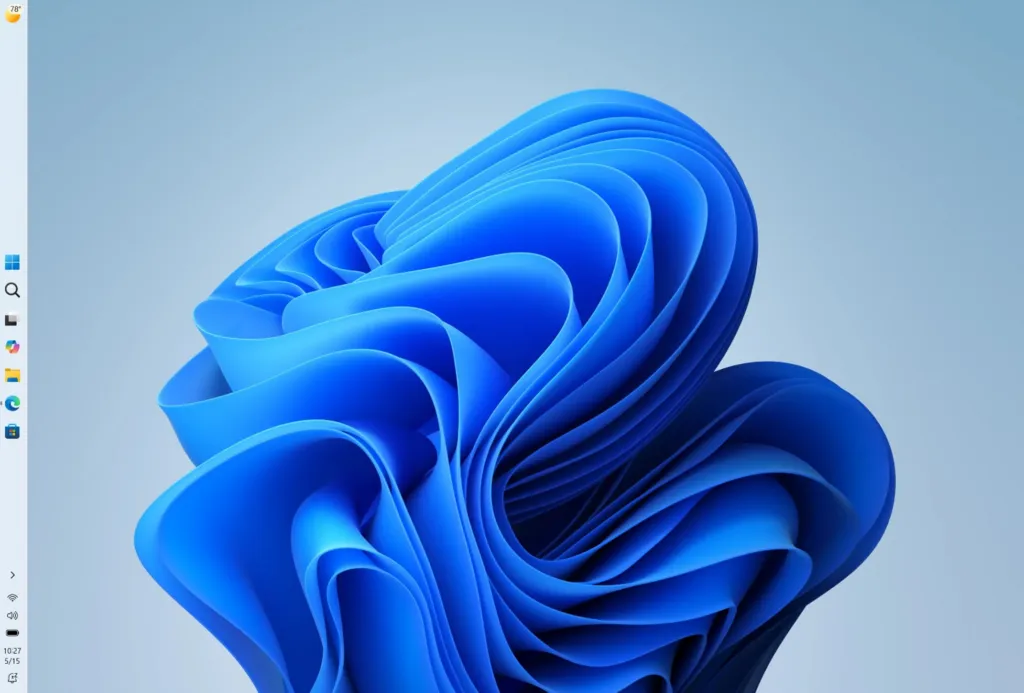
Windows administrators should test these Experimental channel taskbar options with developer and power users to assess productivity gains from vertical layouts and relative flyout positioning before considering broader deployment.
Tap a lens to see what this story means for you.
Liked this? The Brief brings you the whole day in tech, verified, every morning.
Two minutes, free forever. What's in The Brief →
See what’s happening right now
The Feed runs all day — short, verified briefs the moment they break.
Open the FeedFollow @thecircuitry_
Every story we publish, as it happens. No noise between.
Reader-supported
The Circuitry is a passion project I've always wanted to build, and I love the work behind it.
Running it costs real money. APIs, hosting, time. To keep improving the site and growing this into something useful for everyone, those costs have to be covered.
Any contribution is appreciated. If not, no pressure. Thanks for reading.
Microsoft announced it will let Windows 11 users position the taskbar on any screen edge while adding toggles and quality improvements to the Start menu. The updates restore capabilities removed at Windows 11 launch and focus on making the OS more personal.
Microsoft has begun rolling out Windows 11 version 26H2 as a small enablement package. The update resets support timelines and offers no exclusive new features for users already on recent versions.
Microsoft has suspended the July 2026 Windows 11 Patch Tuesday update on certain Dell models after it triggered unexpected shutdowns, sluggish performance, higher heat and fast battery drain. The flaw traces to an Intel driver clashing with a new USB-C Connection Manager interface; exact affected machines remain undisclosed while a fix is prepared.
Microsoft is expanding the number of fixes delivered in each Patch Tuesday release for Windows 11 by using AI to surface potential security issues earlier. The adjustment comes amid rising AI-assisted vulnerability hunting and exploitation by both attackers and security researchers.
Microsoft announced optimizations to Windows 11 for developers at Build, including native Linux command-line utilities, WSL containers, an Intelligent Terminal, and simplified setup configurations. The updates deepen Linux integration to improve performance, reliability, and workflow consistency across environments.